Virdyn Studio (VDMocapStudio)
Body tracking via VDMocapStudio. Requires a VDSuit suit.
Setup
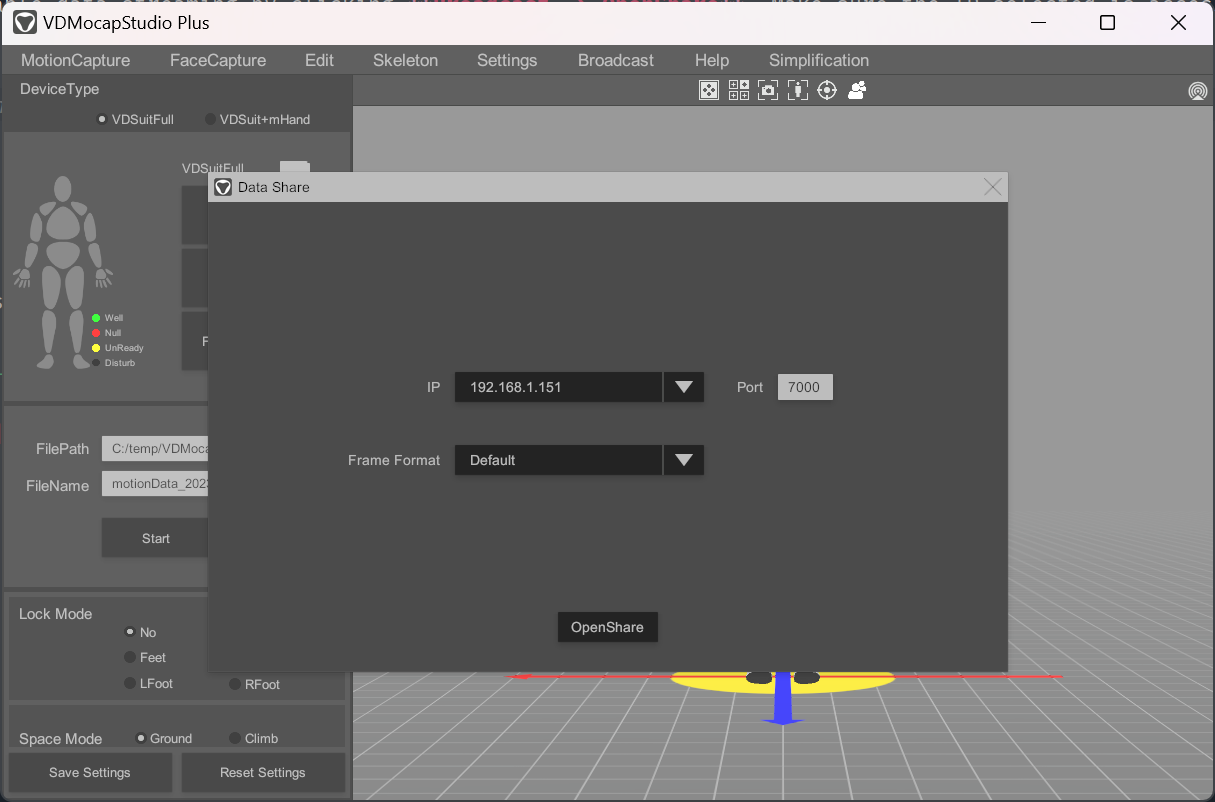
Open VDMocapStudio and enable data streaming by clicking Broadcast → OpenShare. Make sure the IP selected is accessible from Warudo.
Calibration
Calibration of Virdyn hardware is done in VDMocapStudio. You can also use Virdyn Studio Receiver → Calibrate Root Transform to reset the character's root position and rotation in Warudo.
Frequently Asked Questions
Please refer to Overview and Customizing Pose Tracking for common questions.
My tracking drifts over time.
This is a common issue with inertial motion capture systems, which drift over time due to accumulated errors. To reduce the drift, make sure there are no magnetic or electrical interference near the tracking sensors.
Authors
Last updated on 2026.01.13